
Engagement Model
Team Augmentation
Your team, supercharged — every Ajackus engineer comes AI-native, shipping 40–60% faster from day one
Managed Delivery
Tell us the problem. We handle everything — discovery, architecture, build, testing, deployment — at AI speed
BOT Model
We build your offshore engineering center with AI-trained teams, operate it to maturity, then transfer ownership to you
Expertise
AI Development
Custom AI agents, LLM integrations, RAG pipelines, and AI enablement — from strategy to production
Web Development
Enterprise web applications built with AI-augmented engineering for 40-60% faster delivery
Mobile Development
Native and cross-platform mobile apps built at AI pace with rigorous automated quality
DevOps
Infrastructure that scales automatically, deploys safely, and costs less
Low-Code/No-Code
Airtable, Glide, Shopify, and WordPress solutions with AI automation layers — built in days
Data Analytics
Turn raw data into decisions that drive revenue — 80% faster with AI-assisted analytics
UI/UX Design
User-centered interfaces designed with AI-powered speed — 3x faster iteration, sharper insights


Power BI Solutions to
Reshape Your Business
Superfast your decision-making and enhance data visualization with our Power BI Consulting Services and tech solutions.

What is a Power BI?
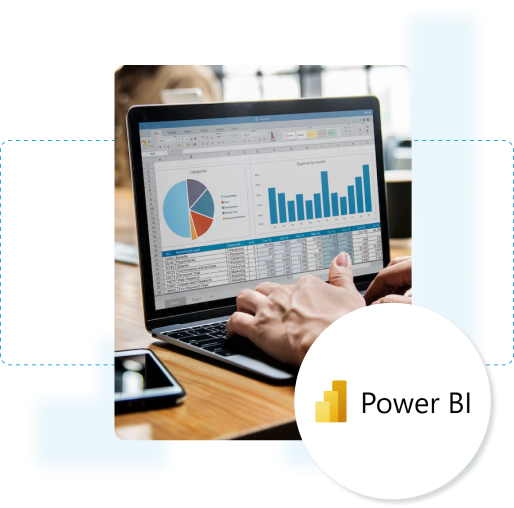
Power Business Intelligence helps you make sense of your data whether your data is in Excel, stored in the cloud, or databases. Businesses & professionals use Power BI for visualizing and reporting data in a few clicks. It's especially popular among business analysts but is designed to be user-friendly for everyone, even those without specialized data skills.
Why Choose Ajackus for Power BI Solutions?
Our team of Power BI developers has significantly enhanced reporting efficiency for numerous businesses. We can migrate the existing reporting system to Power BI, slashing report generation time from weeks to minutes. With our custom Power BI solutions, you can effortlessly access vital insights through the Power BI data portal and dashboard with just a click of the refresh button.
Our deep understanding of Power BI's capabilities allows us to develop customized dashboards, reports, and analytics solutions that empower businesses to make intelligent data-driven decisions.


Cutting-Edge Tech
We embrace cutting-edge Power BI features for innovative and intuitive data solutions.

Passionate Teams
We are committed teams passionate about Power BI analytics and fostering dynamic collaboration.

Swift Problem-Solving
We excel at swiftly tackling data challenges for seamless Power BI integration and insightful analytics.
Power BI Solutions
Combine the Power BI platform with our multidisciplinary expertise to experience transformative data solutions.
Interactive Dashboards
Advanced Analytics
Data Modeling
ETL Processes
Report Optimization
Data Visualization
Interactive Filtering
Real-Time Data Streaming
Mobile Compatibility
Custom Visualizations
Scheduled Refresh
Data Security
What is a Power BI Developer?
A Power BI developer is a specialized software professional who designs, develops, and implements data visualization solutions. Beyond dashboard creation, they may also offer expertise in data modeling, ETL processes, and report optimization.
Engagement Models
Whether managing projects or integrating as your tech team, we deliver unmatched commitment and value. Explore our tailored engagement models.

300+
Projects delivered
Projects delivered

1B+
in Client Value Created
in Client Value Created

Services we offer


What our clients are saying


A reliable technology partner that consistently delivers high-quality, professional software solutions.


A scalable, enthusiastic team that integrates seamlessly and adapts quickly to evolving project needs.


Delivered an intuitive database with exceptional UX and flexible support for last-minute design changes.

Frequently Asked Questions
What is the difference between Power BI and Tableau?
Power BI and Tableau are both leading BI tools used for data visualization and BI reporting. Microsoft Power BI is more tightly integrated with the Microsoft ecosystem, making it ideal for users of Excel Business Intelligence, SQL, and PowerPoint BI. Tableau, on the other hand, is known for its advanced visual analytics capabilities and is often preferred for complex datasets. Organizations considering a Tableau to Power BI migration benefit from Power BI’s affordability and seamless Microsoft BI integration.
How does Power BI Web Service work for cloud-based reporting?
The Power BI Web Service (available at powerbi.microsoft.com) allows users to publish, share, and collaborate on reports in the cloud. It is part of the Microsoft Power BI Service, enabling users to access dashboards on any device and integrate with SQL in Power BI for real-time data updates. Businesses leveraging BI cloud solutions often use Power BI Web for streamlined BI dashboard management.
What are the best practices for creating a Sales Dashboard in Power BI?
A well-designed Sales Dashboard in Power BI should provide clear insights into revenue trends, customer behavior, and sales performance. Using features like Power BI Visualizations, DAX calculations, and Power Pivot in Power BI, users can create interactive and real-time analytics dashboards. Power BI Experts recommend optimizing performance by reducing dataset size and using direct query mode for large datasets.
How do Power BI Consulting Services help businesses optimize reporting?
Power BI Consulting Services assists businesses in setting up Power BI applications, optimizing Power BI reporting, and creating tailored BI dashboards. Consulting firms specialize in Power BI Data Analysis, integration with SQL and Power BI, and improving overall data governance. These services are especially beneficial for companies new to Microsoft Business Intelligence solutions.
Can I use Power BI in PowerPoint for presentations?
Yes, Power BI in PowerPoint allows users to embed interactive reports directly into presentations. This feature enhances BI reporting, making it easier to present live data insights. Users can integrate Power BI Visualizations with slides, enabling stakeholders to interact with dashboards during presentations without switching between applications.
What is the importance of Power BI and SQL integration?
Integrating Power BI and SQL is crucial for data-driven decision-making. SQL in Power BI enables businesses to query databases, transform raw data, and generate interactive reports. This combination is widely used in Power BI Consulting for real-time analytics, financial modeling, and enterprise-scale BI reporting.
What are the benefits of using Power BI on AWS?
Running Power BI on AWS allows businesses to leverage cloud scalability while maintaining the power of Microsoft Power BI Service. Users can connect Power BI Web Service to AWS data sources, such as Amazon RDS and Redshift, for advanced analytics. This setup is popular among enterprises looking to unify cloud infrastructure with Microsoft BI capabilities.
What are the key features of Power BI Professional?
Power BI Professional offers advanced data modeling, Power BI Visualizations, BI dashboard creation, and collaboration tools via powerbi.com. It is essential for businesses requiring enhanced security, scheduled data refreshes, and integration with Microsoft Business Intelligence platforms. Compared to Power BI Free, the professional version provides better data capacity, API access, and premium features for Power BI Data Analysis.
Let’s Build your Project Together